Traceability
Find which material lots went into a batch, which later batches used it, and which customer orders received its finished products.
Before You Start
Section titled “Before You Start”- Item uses lot tracking where required.
- You have a batch/lot identifier to investigate.
- New production links each output to the material lots consumed in that production event, including partial batches on one work order. Imported opening balances have no original material-lot links; keep your source archive for that history.
-
Navigate to Reports > Traceability.
-
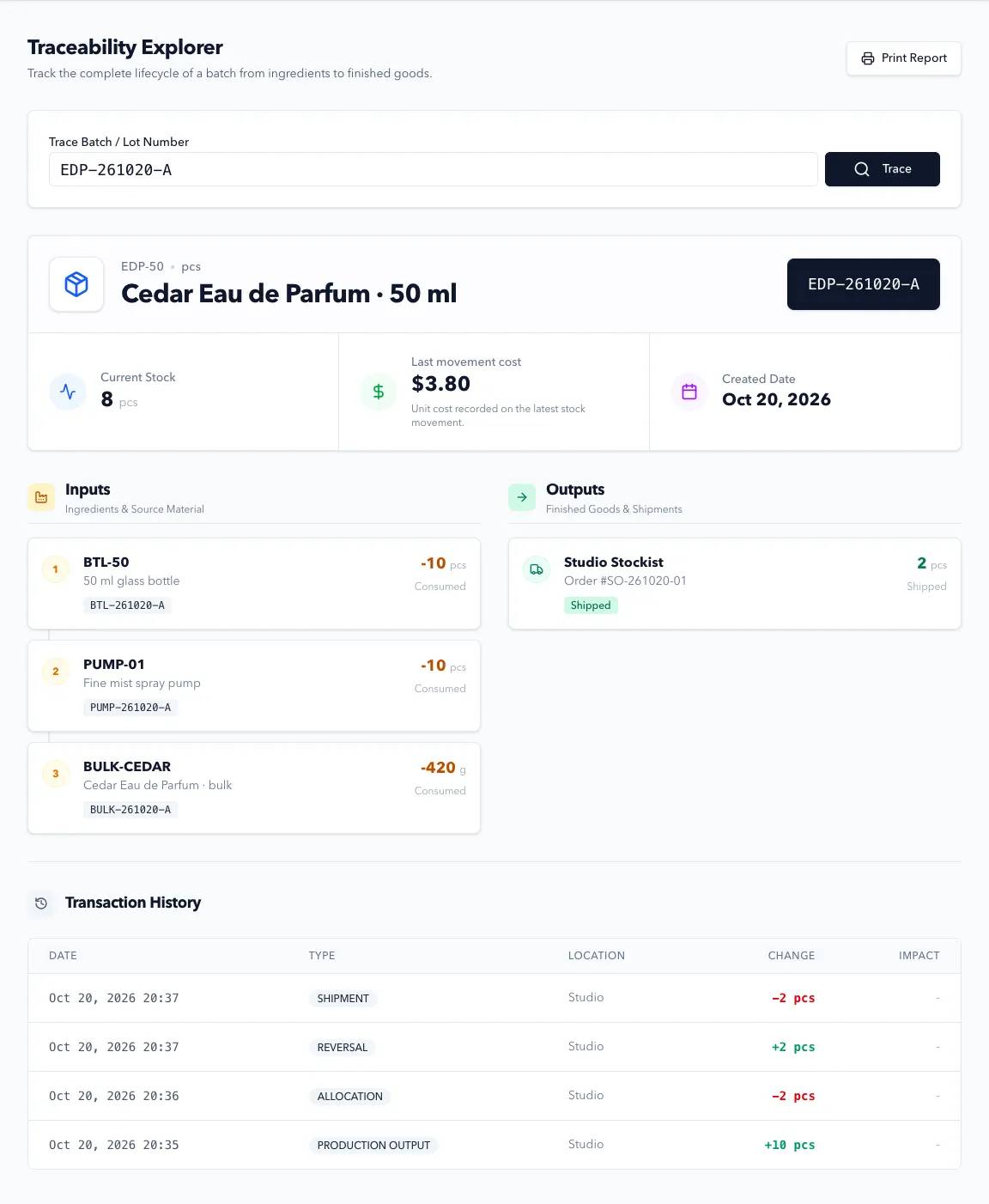
Enter the batch code in Trace Batch / Lot Number and click Trace. If the same code belongs to several items, choose the item you want to inspect.
-
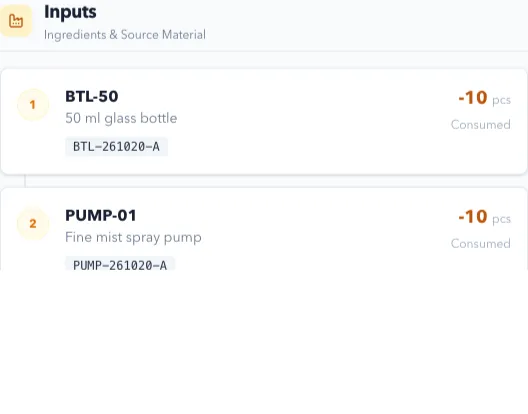
Inspect Inputs for the material lots used to make this batch.
-
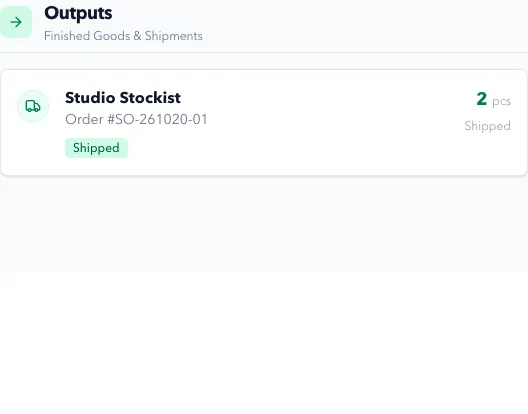
Inspect Outputs for later batches and customer shipments that used this batch.
-
Click a linked batch to follow the next production stage. For a product made in two stages, you can move from the packaged batch to its intermediate batch, then to the material lots used in the first stage.
Expected Result in Formul
Section titled “Expected Result in Formul”- You can trace a lot across receiving, production transformation, and fulfillment.
- Recorded shipments show the customer and order reference for the selected batch.
- Current Stock shows the physical batch quantity. Reservations affect available stock elsewhere; reserving a batch does not remove physical stock from this card.
- Last movement cost shows the unit cost recorded on the batch’s latest physical stock movement, including a valid zero cost. Reservations and releases don’t change this figure. For the item’s current weighted average cost, open its inventory detail or Inventory Valuation.
The links depend on what you recorded. Use supplier lot numbers when receiving, select the lots you actually consume in production, and allocate the finished lot you physically ship. Formul can’t recover a missing lot choice from a product name.
If Something Looks Wrong
Section titled “If Something Looks Wrong”- Confirm item is lot-tracked where traceability is expected.
- Confirm batch IDs were entered during receiving/production.
- Confirm filters/search terms exactly match stored batch identifiers.
- If Formul warns that production records predate exact batch linking, the related lots are a broader work-order match. They are not proof that every listed material lot went into this particular output. Check the original production records before narrowing a recall. Older partial-batch links cannot be reconstructed automatically.
Next Step
Section titled “Next Step”Return to execution workflows in Buy, Make, or Sell based on findings.